
There are three ways of converting a prospect to a sale.
1. When you activate the prospect you can choose Sale by setting an appointment but changing ''later'' to ''now'' and choosing outcome ''Sale". This will navigate to a conversion and the POS screen for finalisation.
2. For an already activated prospect, schedule an Event and choose Sale by setting an appointment but changing ''later'' to ''now'' and choosing outcome ''Sale". This will navigate to a conversion and the POS screen for finalisation.
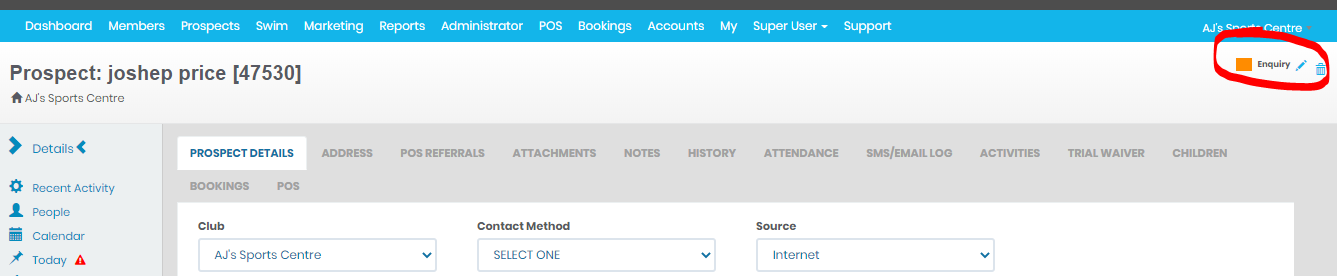
3. You can go into the Prospect Details page, click the pencil at the far right.
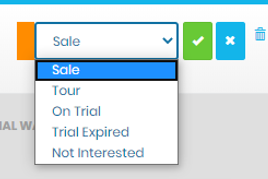
It will default to a SALE status. This is the drop-down selection.
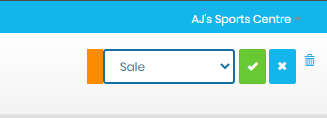
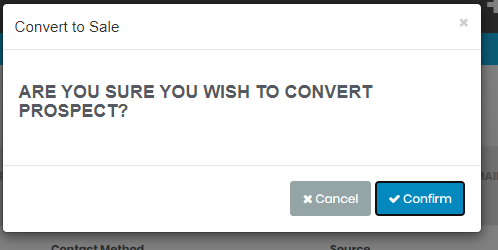
Click the green tick and you will receive a confirmation prompt.
Comments
0 comments
Please sign in to leave a comment.