
Where you provide subscription based PT sessions and wish to provide a pre-paid option to clients that are casual users this is the best type of subscription to use.
Note: subscriptions are only required where it is a pay per use scenario and the Instructor has this button enabled. In all other instances a subscription is NOT required to be able to book a PT session with a trainer.

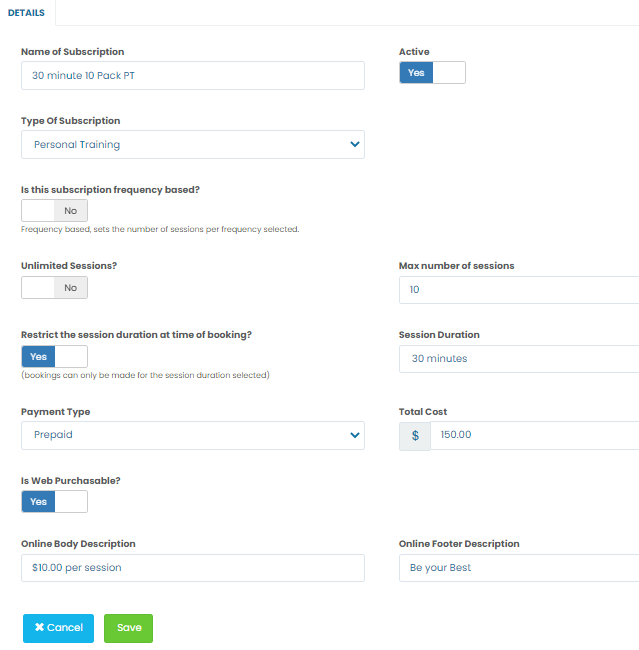
Navigation to subscription creation is through Administrator >> POS Settings >> Subscriptions Click the Add Subscription button, enter a Name and choose Personal Training as the type of subscription.
Enter a value in the Max number of sessions. Leave the other default settings as they are. This is a pre-paid transaction, and enter the total cost.
If this subscription is able to be purchased electronically (either through the app or myaccount) enable the Web Purchasable toggle. If web purchasable enter some detail into the online fields.
Click SAVE.
If you make these web purchasable this is an example of how they appear in the app.

Comments
0 comments
Please sign in to leave a comment.