Refunds of membership payments for Direct Debit customer is the same process for Bank and Card transactions.
You can refund up to the value of the original transaction.
The refund will only process to the original payment method (i.e. if card or bank details have been changed in the intervening period, the refund will still go to the old details)
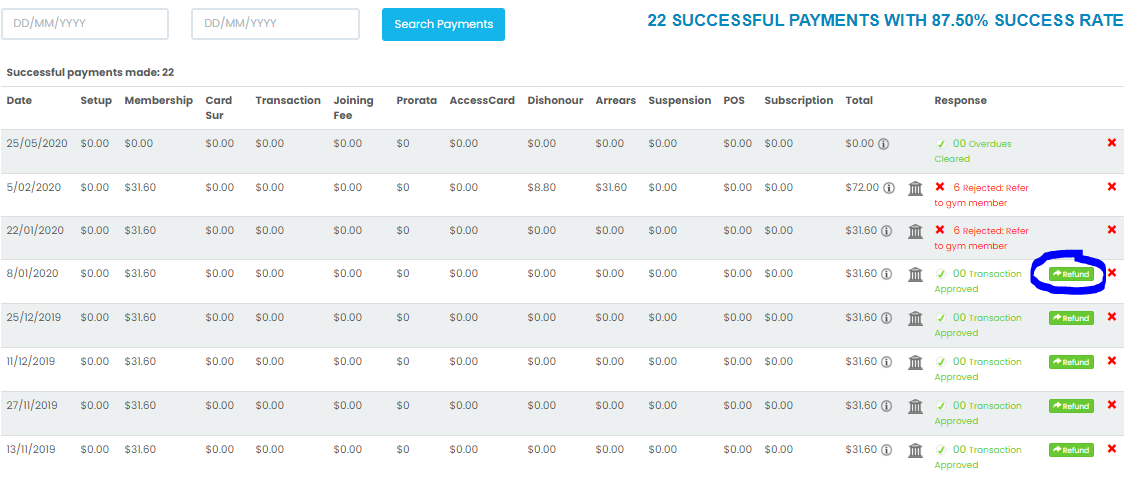
Go to the member's Payment History screen. Locate the transaction/s in question and click on the Refund button. If you do not see this button you may not have user privileges to do so. Check with your manager.
You can edit the amount here but not the payment method. Click ''Refund Payment''.
You will see that the Refund button has now disappeared and a corresponding Refund transaction will appear at the top of the payments.



Comments
0 comments
Please sign in to leave a comment.